
| | |
 |  |
|
8 Players Online
Take me to the game |

|
| Risk-y Options | |
|
Classic Risk
comes complete with numerous game options that really affect the way you and your opponents play. It's worth the time spent to try each game variation to see which style suits your play and provides the most fun. While the manual has a wealth of information on the game options?who reads the manuals anymore? The Zone provides this handy guide to the options in Classic Risk
.
American vs. European Rules
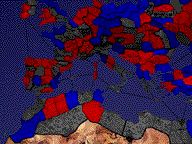
Since the Zone has a healthy international contingent, it's important to determine up front whether you'll be using the American or European rules. American Hands down, this is the coolest part of the CD-ROM version of Risk . You can choose to play on new maps that provide surprising strategic opportunities. The Classic map, with 42 territories, is the default selection. Play on this map a few times before graduating to the larger maps. World Map -- 70 territories, a good follow-up to the classic map Asia Map -- from India to Japan including Indonesia with 144 territories North America Map -- this map of the Americas contains 159 territories Europe Map -- containing portions of North Africa, this map clocks in at 180 territories
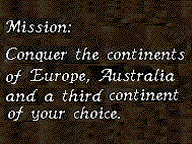
Mission - This is only available when playing the Classic Map. It's a great option because you do not know the missions of the other players. As play proceeds, one player's actions may ruin another player's mission or get them even closer to the goal. The missions generally involve destroying another player or conquering a mix of continents. For extreme difficulty, keep the Initial Setup switched to random. You might end up without a single army in your goal! Missions are assigned at the beginning of your turn so keep your fingers off that mouse button until you've read the assignment.
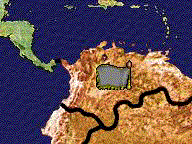
Classic Dice Rules - By far, this is the better way to play. Each die thrown represents one battalion. This formula makes it easy to follow the course of battle. Ultimate Dice Rules - This option means that each die thrown represents 33% of the attacker's total force and 50% of the defender's total force. While this formula does speed up the play, it is less satisfying to watch the battle in progress. Initial Setup Select Territories Random/Manual - Setting this to Random guarantees that your forces will be spread across the map. Sometimes, this can pose an interesting puzzle to solve, and can be used to hone your abilities at saving seemingly hopeless situations. Place Battalions Random/Manual - Setting this to Random is suicidal and prevents you from initially using numerical strategy in your battles. Game Variations Random Turn Order On/Off - If set to On, the turn order is randomly determined at the beginning of each round. This can really mess up opponents who may be counting on a fixed turn order, and have extended themselves at the end of a turn. The randomness however, may not appeal to hardcore armchair generals. Card Trading Fixed/Increasing - Fixed simply means that the number of battalions received for trading in card sets remains the same no matter when the set is traded. The Increasing setting increases the number of battalions gained for each subsequently traded card set. AI Difficulty Easy/Medium/Hard - The Easy AI difficulty sometimes will miss obvious attacks such as isolated armies holding down the final country in a continent. The Hard AI usually does not make such mistakes. Blind Risk - This is an unusual option that can only be found in the CD-ROM version of the game. Enemy battalion strengths are known only if the enemy is adjacent to a player-controlled territory. Otherwise, a gray flag appears. This is much more realistic as you need to be closer to these territories in order to discover their troop strengths. It also makes the game more difficult, especially in multiplayer, because you can stumble into the path of a large army. Sly generals will study the map to determine other players' blind spots and place their reinforcements accordingly.
Once you've gone to all this trouble to set up the various game options, you can save your favorite setup by clicking the Save Setup button just before the game starts. This takes you to the Setup Screen. This will allow you to load your favorite game setup at the Main Menu. |
|
|
||||||||||||||||||||